
Get Started
The very first thing you see after connecting your wallet is the registration screen. FoxLeague reads your FOXSY balance and adapts: with the fee already in your wallet you go straight to team creation, otherwise it shows you how to get FOXSY first. Either way the end state is the same: a team of 18 players in roughly 30 seconds once the payment is signed.
The registration fee
Section titled “The registration fee”The one-time registration costs 5,000 FOXSY. You pay it once, from the wallet you connected, when you create your team. If your wallet already holds 5,000 FOXSY or more, FoxLeague skips the chooser and takes you straight to team creation.
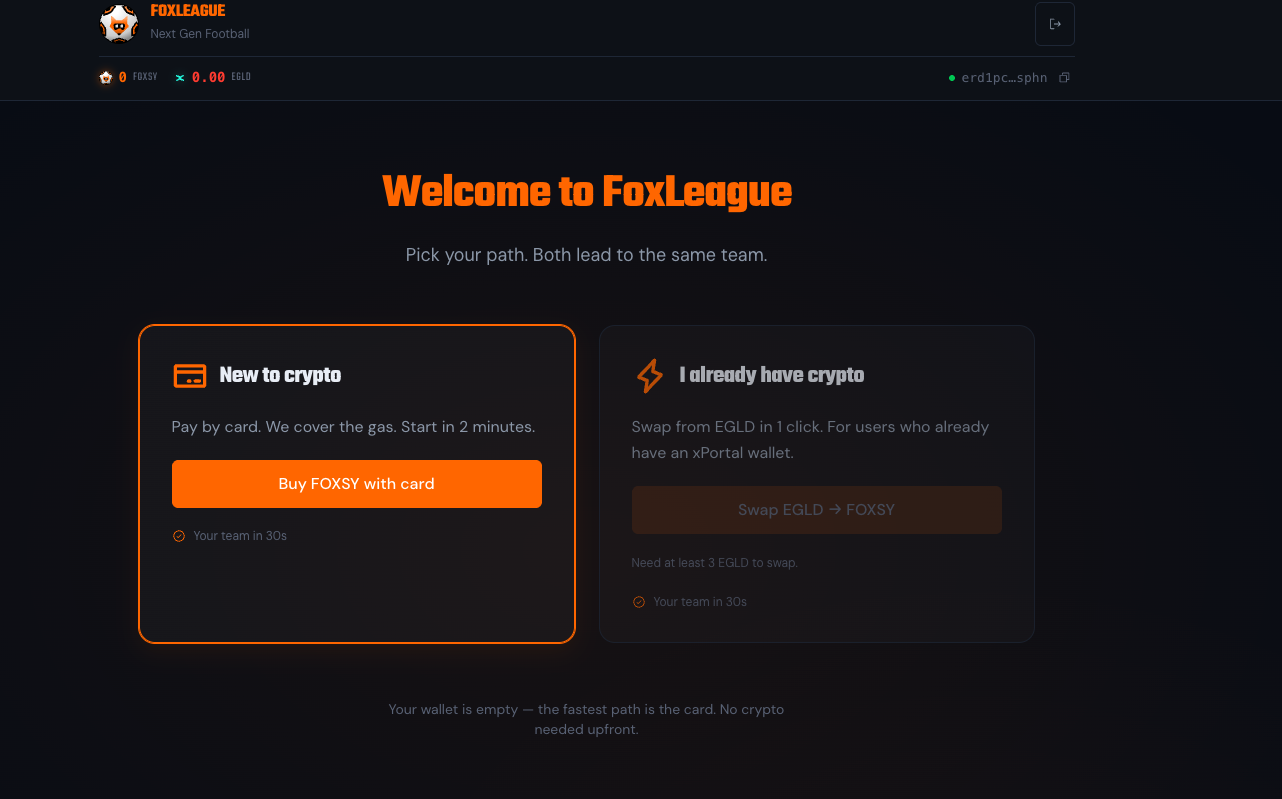
Get FOXSY
Section titled “Get FOXSY”| Use this when | What happens | |
|---|---|---|
| Buy with card or bank | Your wallet holds no FOXSY yet | The Get $FOXSY button opens Tradesilvania, a regulated on-ramp partner. Pay by card or bank transfer. FOXSY is delivered to your wallet on MultiversX mainnet. The provider runs its own identity check and sets the price. |
| Buy on an exchange | You already hold EGLD or other tokens | Buy FOXSY on xExchange or on any exchange that lists it. Send it to the wallet you connected to FoxLeague. |
The in-app Swap EGLD → FOXSY card is marked coming soon on mainnet. Until it opens, use an exchange.
Once at least 5,000 FOXSY sit in your wallet, come back to the tab: the balance pill in the header updates by itself and the team creation step unlocks.
Network fees after registration
Section titled “Network fees after registration”Later actions that write to the chain (syncing stats, marketplace trades, tournament entries) are ordinary MultiversX transactions paid from your own EGLD. They cost a fraction of a cent each.
To get you started, FoxLeague sends 0.1 EGLD to the wallet of each new manager who registers with less than 0.01 EGLD. That is enough for roughly 100 on-chain actions. The bonus goes to the first 1,000 wallets while the pool lasts. After that point you top up EGLD yourself.
Team creation
Section titled “Team creation”With 5,000 FOXSY in your wallet, the onboarding wizard moves through three short steps: Team Name → Generate Badge → Pay & Create.
- Team name: 3 to 15 characters. You can rename later from Settings
- Generate badge: an AI-generated team crest based on your name. Click Regenerate Badge to try another, up to 3 generations per 10 minutes. Generation gives up after 30 seconds. If it fails or the AI declines your name, try again, pick a different team name or use Skip badge to register without one
- Accept terms: tick I am 18 or older and agree to the Terms of Use and Privacy Policy to unlock the Pay button. The Fair Play Rules apply to every manager from this moment on.
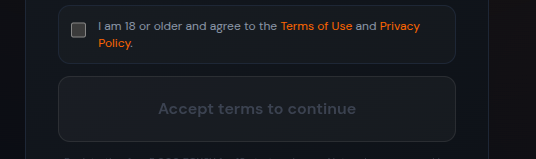
- Pay & Create: once the box is ticked the button flips to Pay 5,000 FOXSY & Create Team. Click it and your wallet pops up to sign
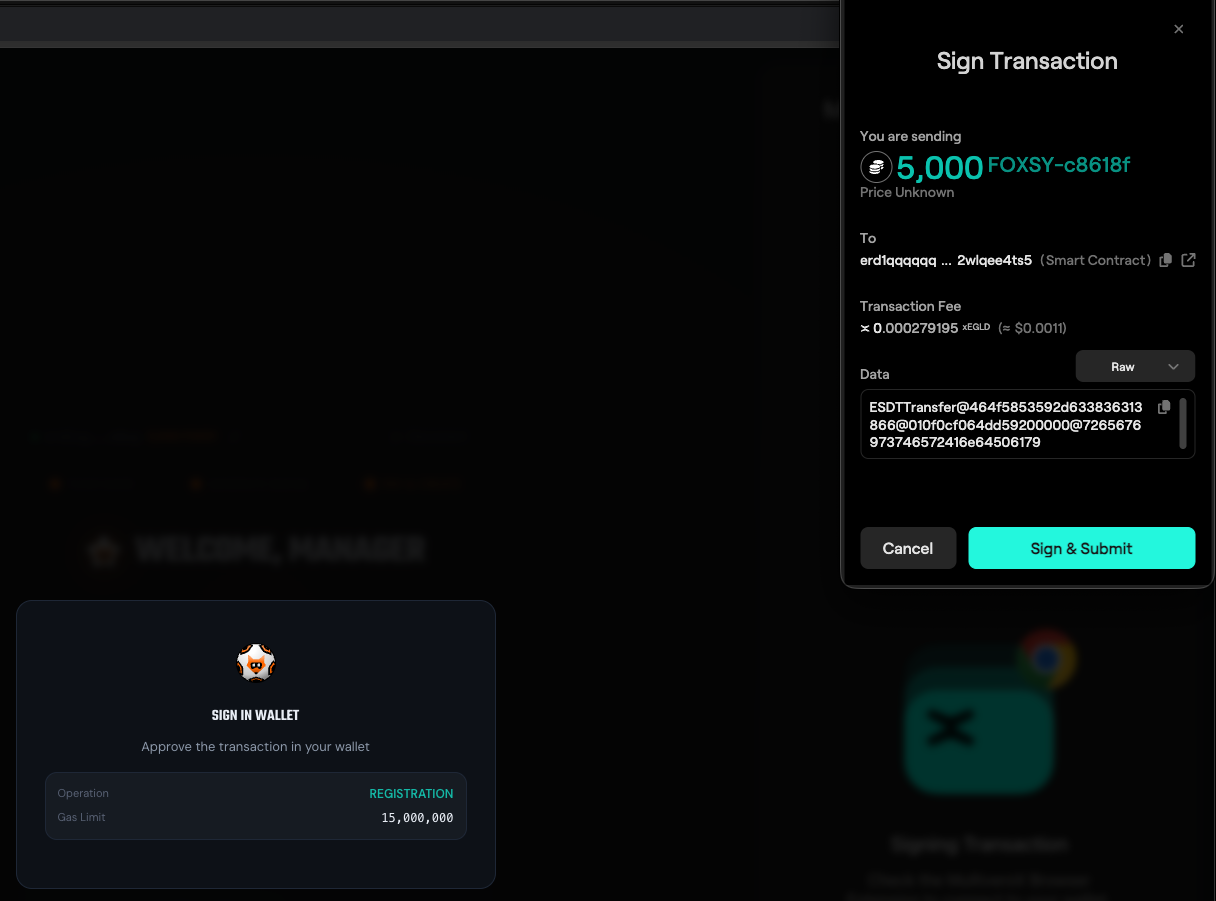
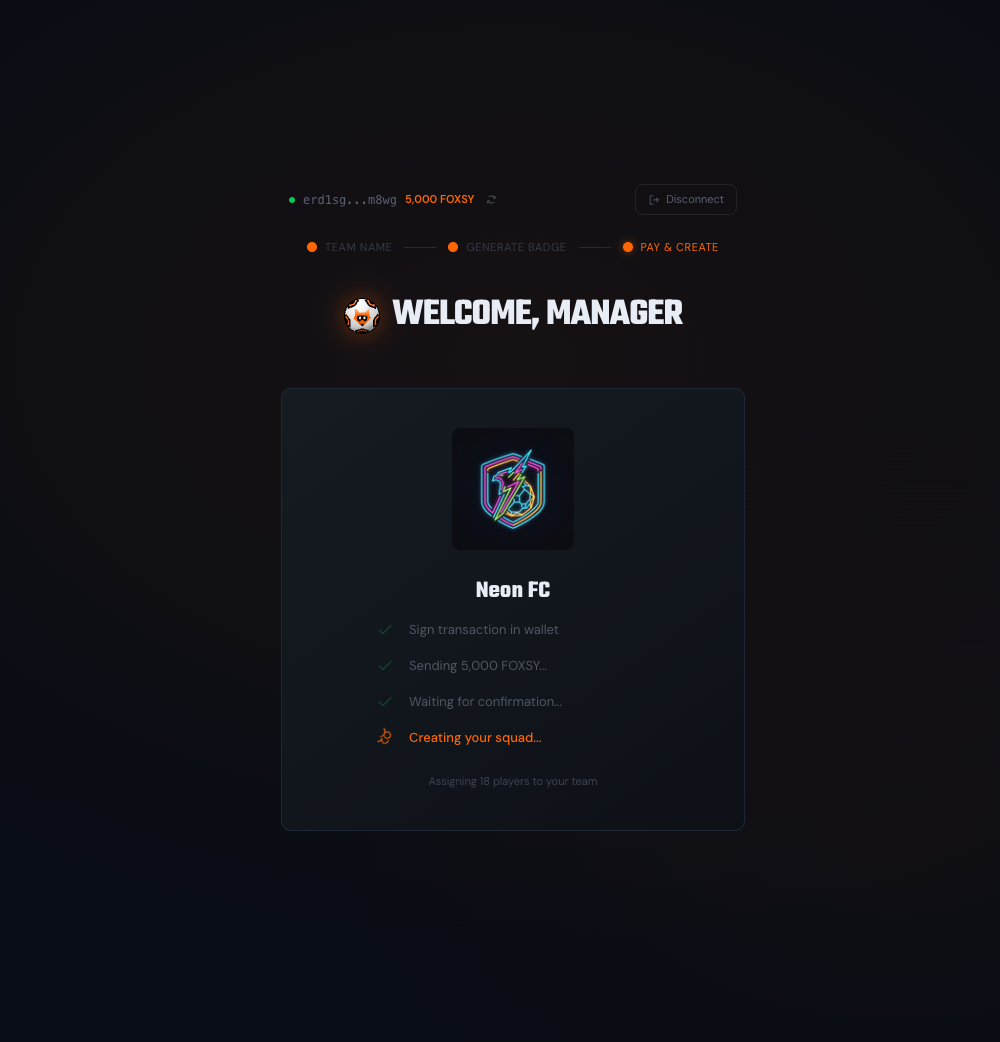
Approve in your wallet. The 5,000 FOXSY transfer to the registration smart contract, the relayer pays the gas and the squad minting kicks in:
- Sign in wallet
- Sending 5,000 FOXSY
- Waiting for confirmation
- Creating your squad (18 players assigned)
A few seconds later you land on the Dashboard with your full 18-player roster. You’re ready to build your first squad and play your first match.
One wallet receives one starter squad. The players contract enforces it: a wallet that already holds its 18 starters cannot register again.
What changes the buttons
Section titled “What changes the buttons”The registration screen is state-aware. It adapts to your wallet and to live system conditions:
- Already hold 5,000 FOXSY → chooser skipped, straight to team creation
- Less than 5,000 FOXSY → Get $FOXSY highlighted, the swap card stays coming soon
- Relayer busy → the relayer accepts 3 registration attempts per wallet per 10 minutes. Wait a few minutes and try again
- Onboarding closed for today → the relayer has a daily cap across all users. Try again tomorrow or ping the team on Telegram
- Wallet not whitelisted → you can connect, but sign-in stops at the access check. Request access from the landing page